Patch audio between your interfaces, virtual devices and apps, channel by channel, from the menu bar.

Every audio device on your Mac, working as one mixer
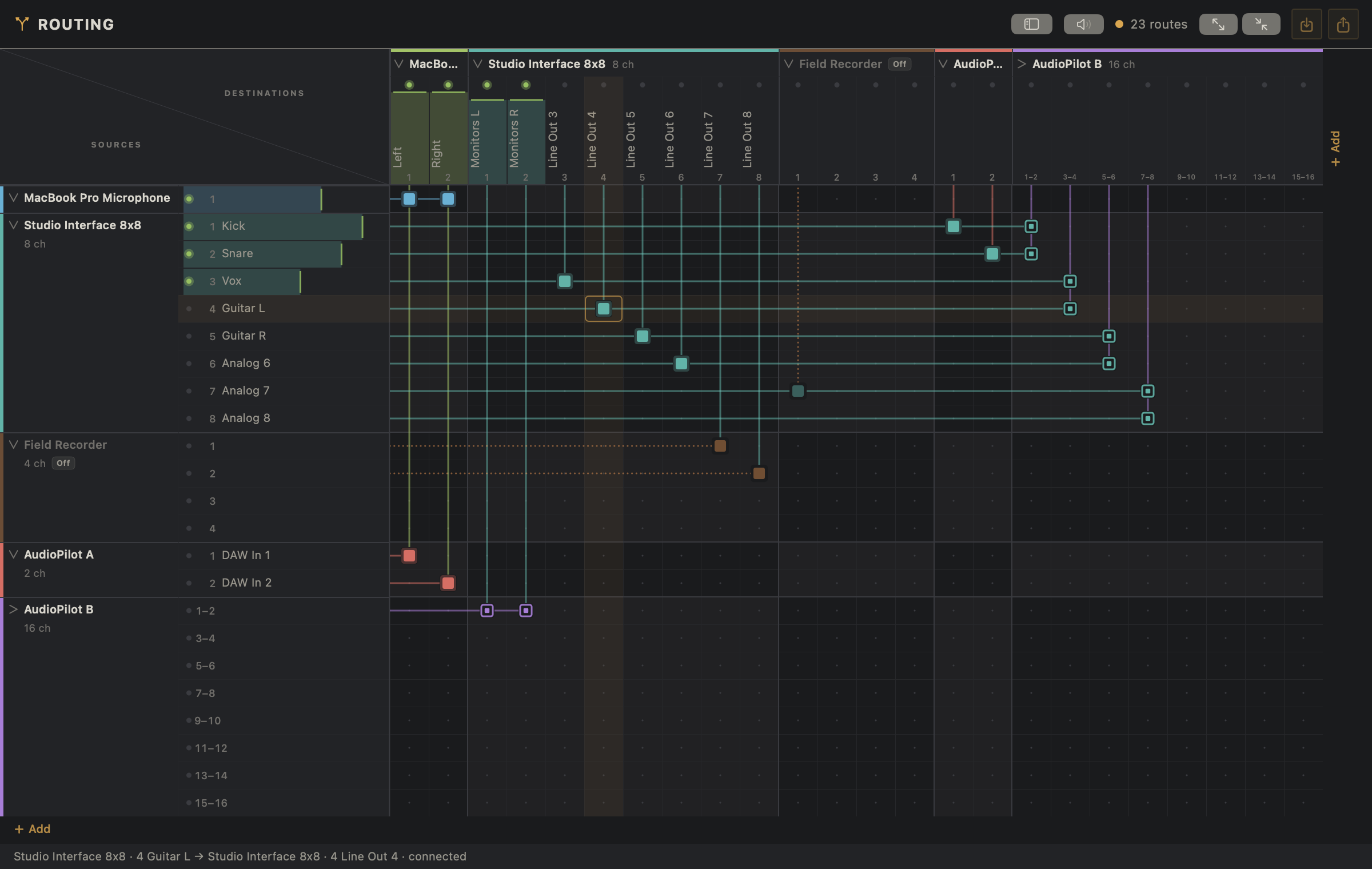
AudioPilot is a routing matrix for sound. It connects your audio interfaces, its own virtual devices and the apps on your Mac, one channel at a time.
Send a DAW to two interfaces at once, bring a browser tab into a recording, sum eight microphones into a stereo stream, or put a compressor on a single connection. Devices at different sample rates and on different clocks sit in the same grid and behave like one.
The audio sibling of MidiPilot: the same matrix, the same themes and the same menu bar habits, built for audio.
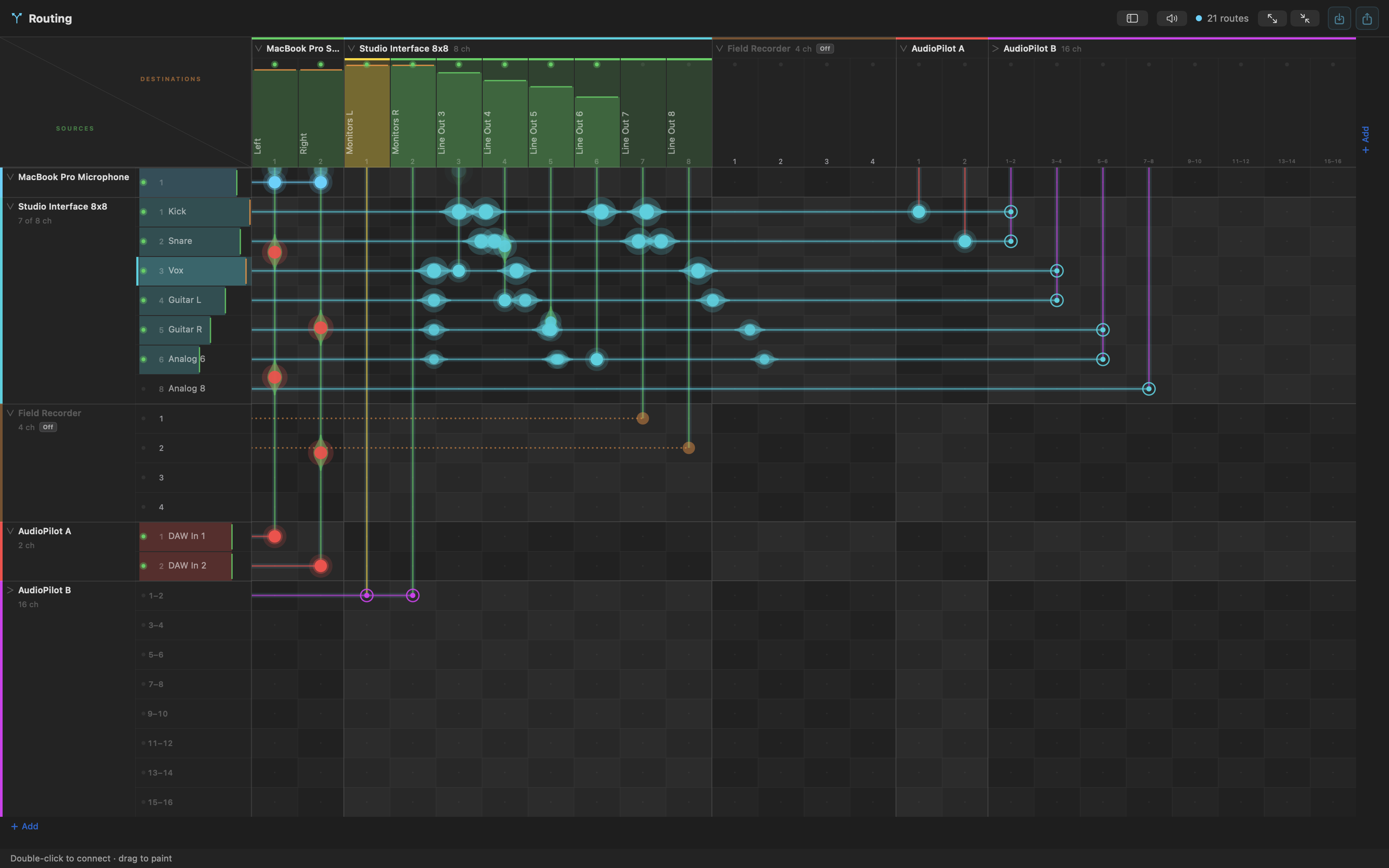
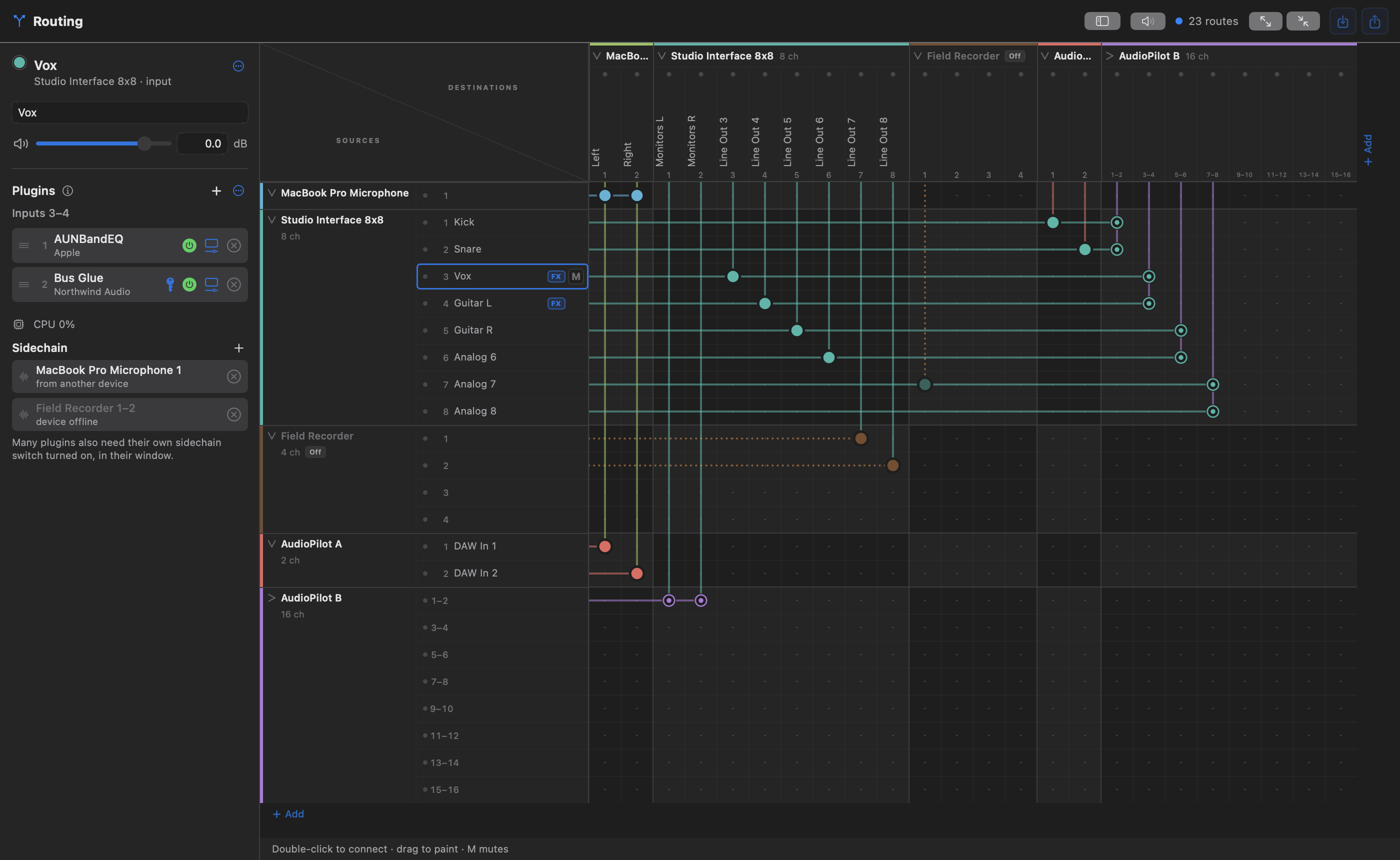
Sources down the side, destinations across the top. Double-click to connect, drag to paint a run.
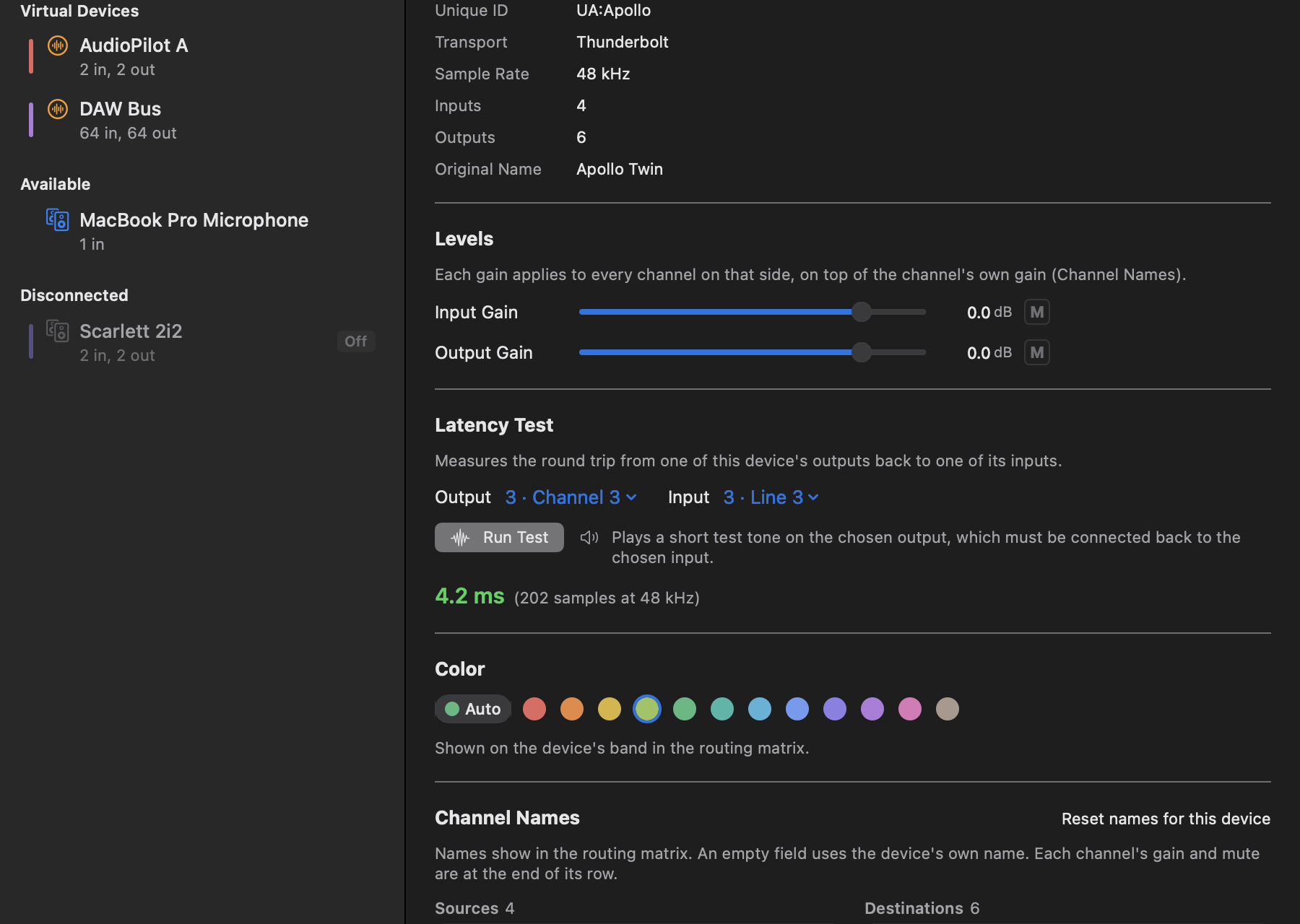
Up to four virtual devices of 2 to 256 channels, beside any Core Audio device you own.
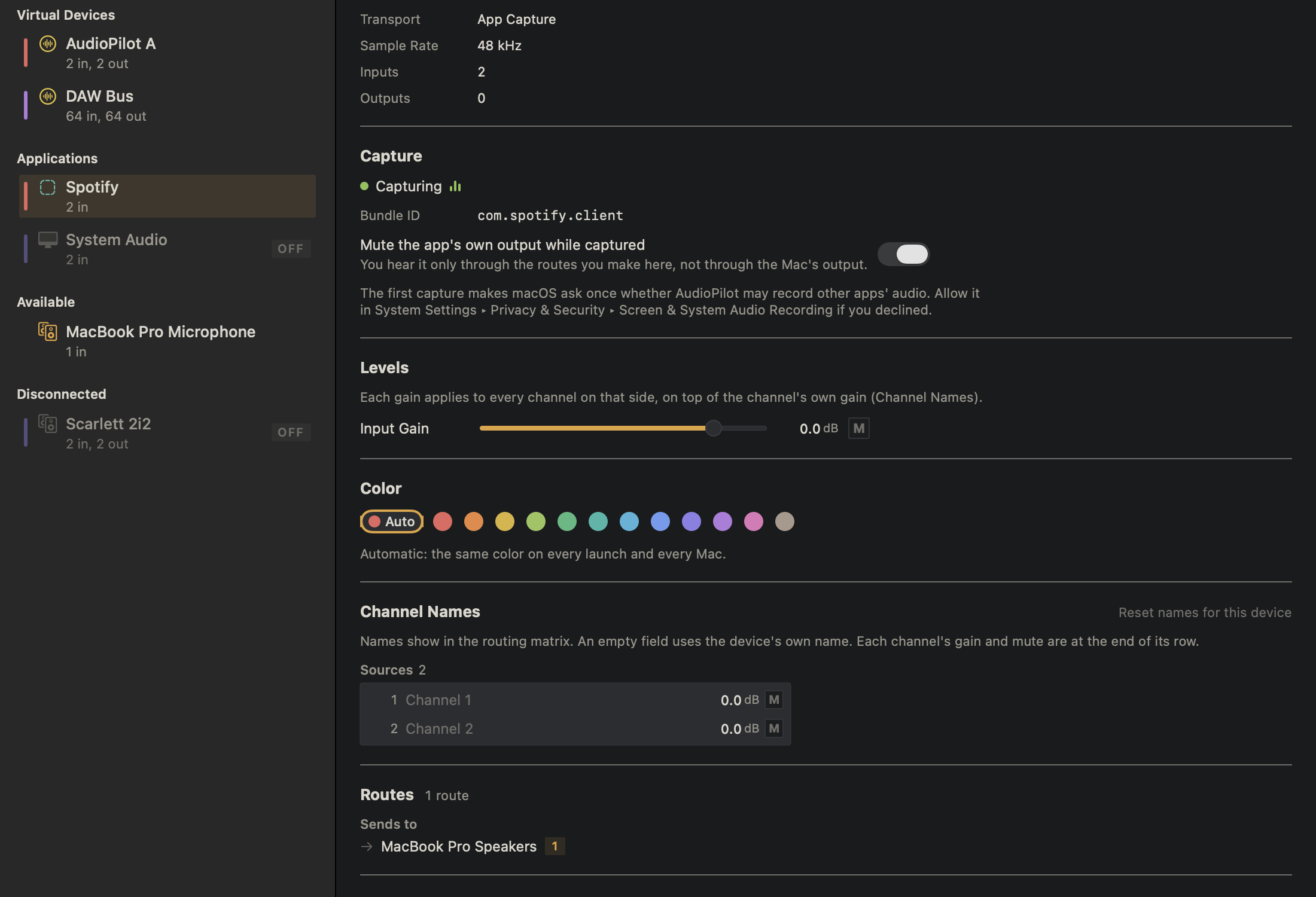
Take the sound of any app, or of the whole system, as a source in the matrix.
A gain and a mute on every channel and every connection, and groups that work as small mix buses.
VST 3 and Audio Unit effects on a channel, a stereo pair, a group or one single connection.
Key any plugin chain from any channel, pair or group, on any device.
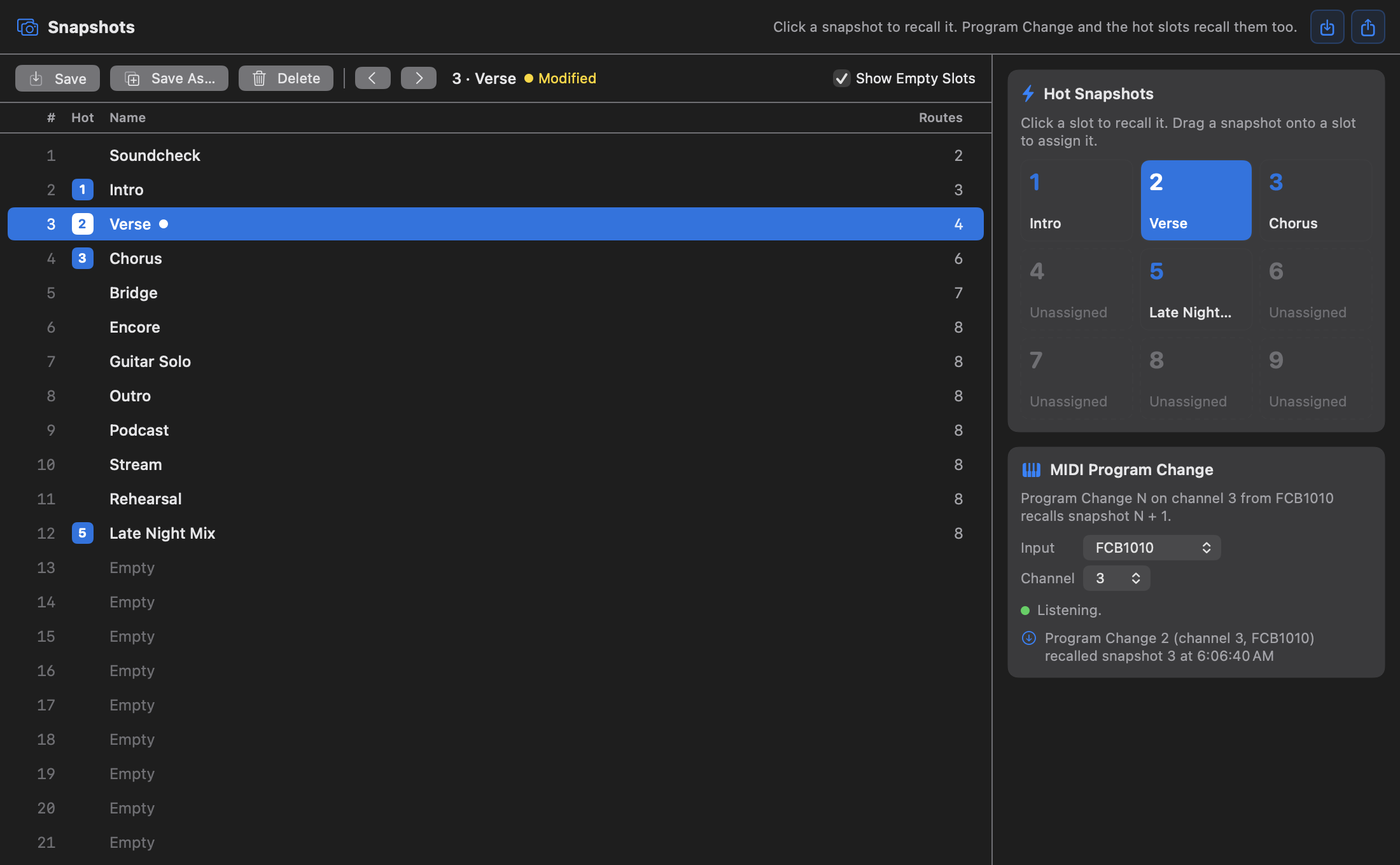
128 snapshots, nine hot slots, recall by MIDI Program Change, and whole setups saved to a file.
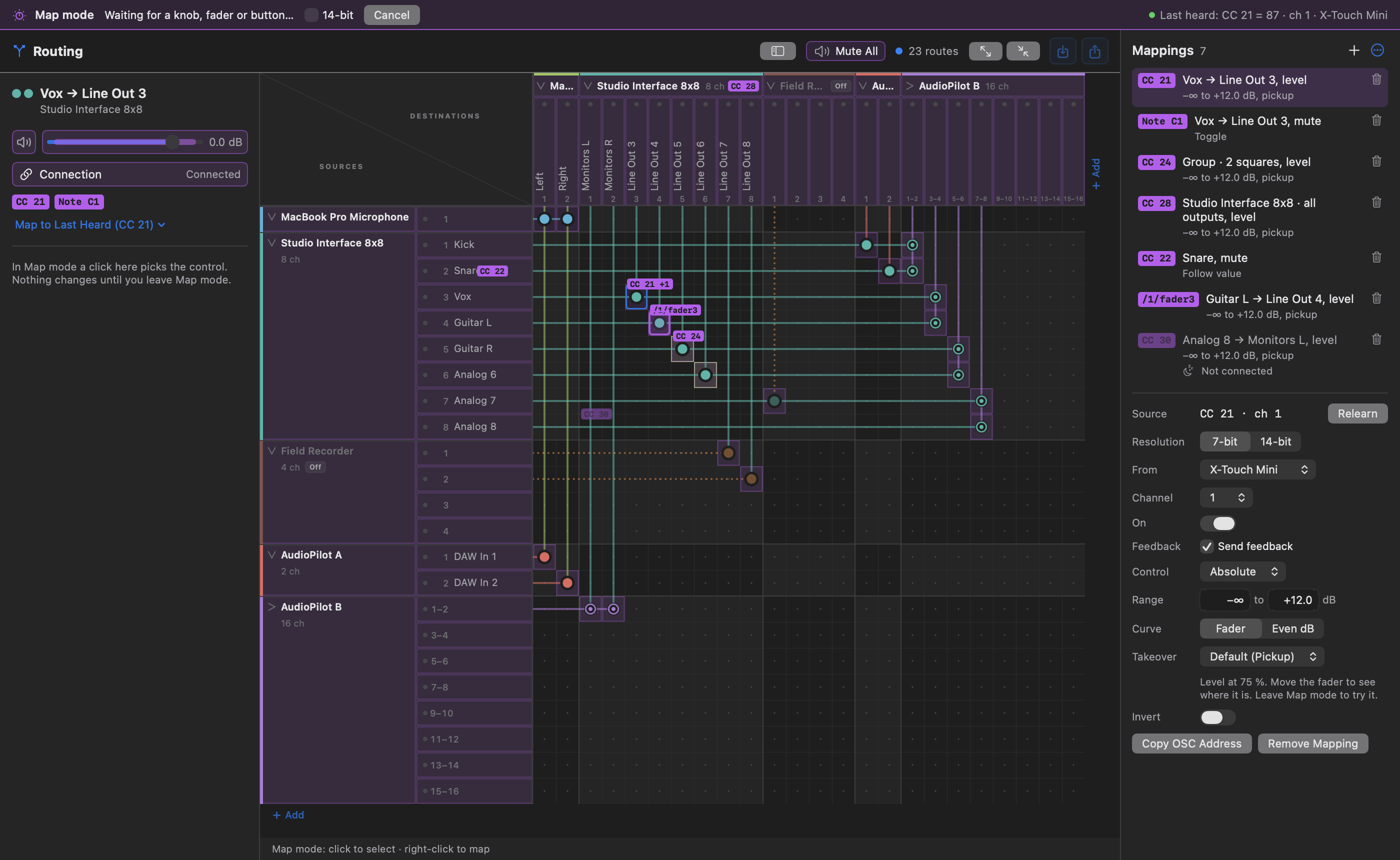
Press Map, click a control, move a knob. MIDI and OSC controllers drive levels, mutes and plugins.
A fixed OSC address for everything that matters, and a Stream Deck plugin that uses them.
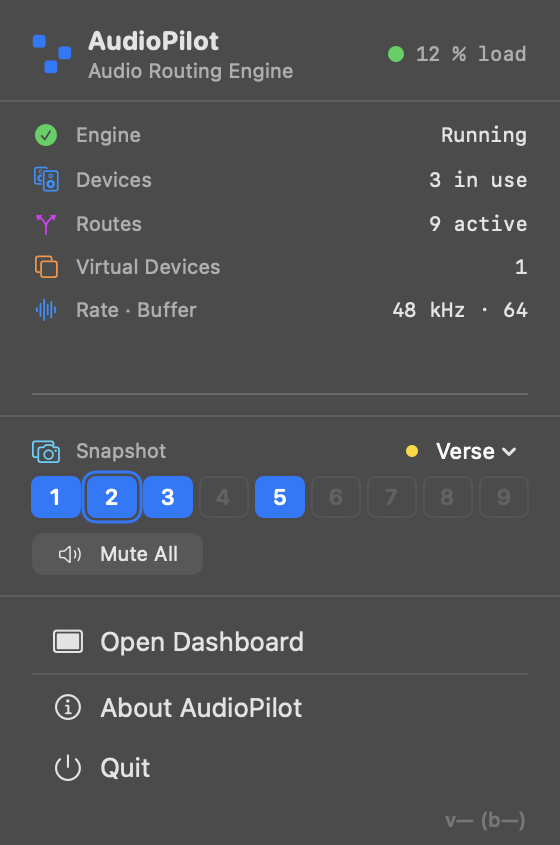
Engine status, hot snapshots and Mute All, one click away with the window closed.
Seven looks, from warm patch cables to a hardware-style console, in five languages.
Sample-rate conversion, drift compensation and a driver that needs no security changes.
Each row is a source channel and each column a destination channel. Where two meet is a connection with its own level and mute. One source can feed many destinations, and many sources can sum into one.

AudioPilot adds its own virtual devices to your Mac and puts them in the same grid as your interfaces, speakers and microphones. Every app can use a virtual device as its input or output.

Add an application from the matrix and its sound arrives as a stereo source, ready to route like any input. Nothing has to be changed in the app itself.

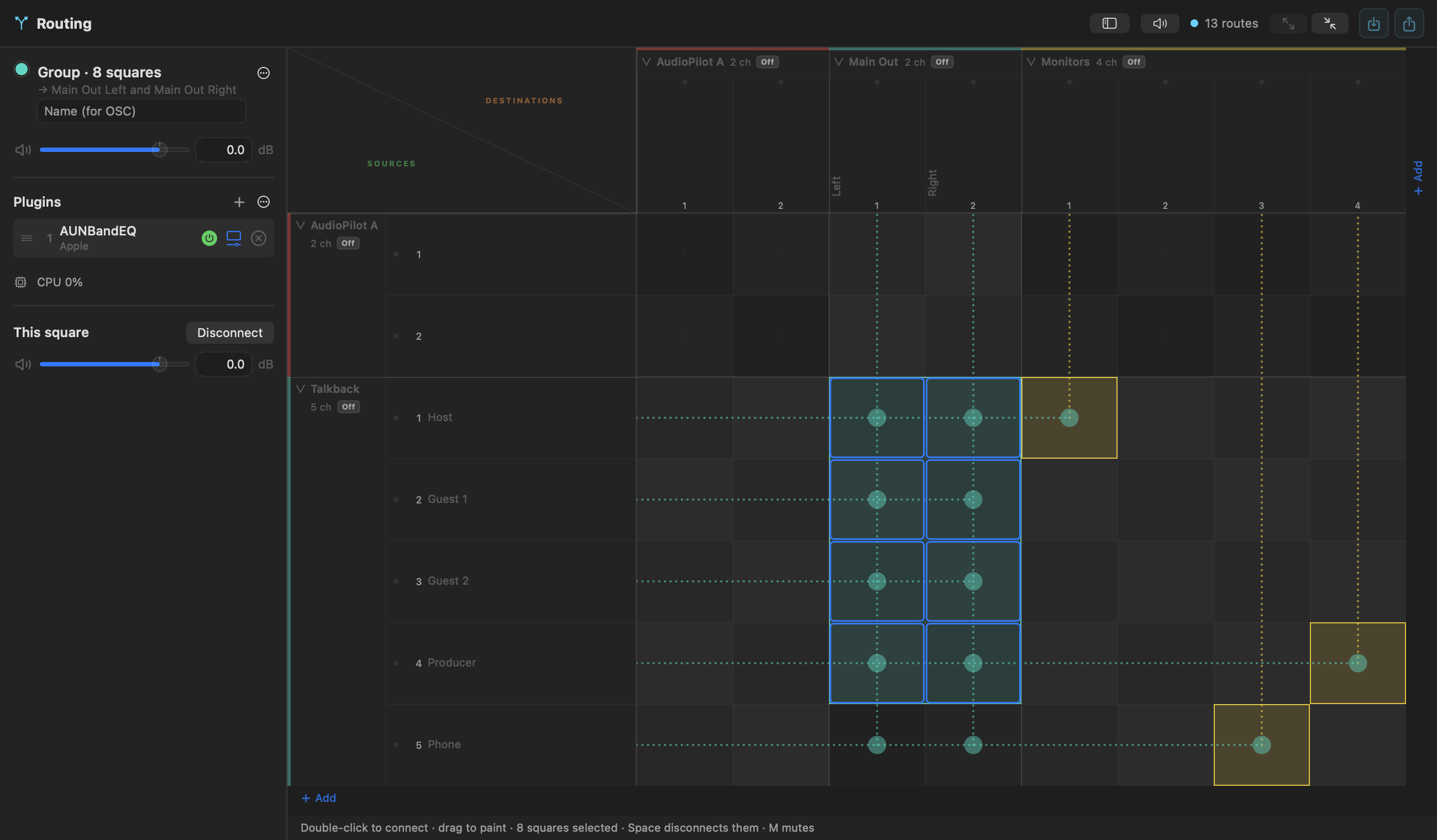
Every channel and every connection has a level and a mute. Select several squares and make them a group: one gain, one mute, one plugin chain and one color, like a small mix bus.

AudioPilot hosts VST 3 and Audio Unit effects itself. Put up to eight in a chain wherever the sound passes, and open each plugin's own window to set it.

Duck music under a microphone, gate a room mic from the snare, or let a whole group pump a pad. A sidechain source can be on any device, not only the one the plugin sits on.
An input channel, a stereo pair or a group's whole output can key a chain. Up to eight sources are summed.
Channel, pair, connection and group chains can all be keyed. Tick the plugins that should hear the key.
A source on another interface still keys the chain. The inspector tells you how late it arrives.
If a source's device is unplugged, the source is kept and greyed, and the chain keeps running.
A chain cannot be keyed by its own output. AudioPilot says why instead of letting it feed back.
A snapshot holds the routing, the levels and the device layout. Recall one between songs, between shows, or between tracking and mixing.

Press Map, click a level, a mute, a plugin control or a snapshot, and move a knob. From then on your controller drives it. While you are mapping, a click never changes your audio.

AudioPilot has a built-in OSC server with a fixed set of addresses, so a control surface, a show controller or a script can run it without any mapping.
Snapshots, levels, mutes, routes, groups and plugins all answer under /audiopilot.
Ask for the current state and AudioPilot answers, so a remote surface can stay in step.
A Stream Deck plugin puts snapshots, mutes and levels on its keys.
The server listens on this Mac only. Other machines can reach it only after you turn on Allow LAN Access.
AudioPilot lives in the menu bar and keeps routing with its dashboard closed. The dropdown shows what the engine is doing and holds the controls you need mid-session.

Seven themes change every window at once, and they are the same seven as MidiPilot, so the two apps sit side by side.

Routing software is only useful if you can forget it is there. These are the things AudioPilot takes care of so you do not have to.
System Integrity Protection stays on. The driver is a standard user-space audio plug-in: one administrator password, no reboot.
Nothing works only within one device. Groups, plugins and sidechains reach across every device in the grid.
Devices on different clocks drift apart. AudioPilot tracks the drift and corrects it, so long sessions stay clean.
The audio path is written in C++ and never waits on the screen, the disk or the network.
Unplug an interface and its routes, levels and plugins wait for it. Plug it back in and they resume.
Routes, levels, plugins, snapshots and virtual devices come back exactly as you left them.
One universal app with its audio driver inside. AudioPilot runs natively on macOS 15 (Sequoia) and later, and asks for an administrator password once, to install the driver.
AudioPilot is in the last stretch of development. The download will appear here when it is released.
AudioPilot is an independent macOS app built by Mitchell Woodbine — a musician and audio engineer who wanted his interfaces, his DAW and the apps on his Mac to behave as one mixer. It follows MidiPilot, which does the same job for MIDI and OSC.
Every feature grew out of a real routing problem in a working studio. It is a native Mac app with a real-time core in C++, and runs as a universal binary on macOS 15+ — Apple Silicon and Intel. No accounts, no analytics, no trackers: your audio stays on your Mac.
Designed, built and maintained by one person.
Swift and Core Audio, universal for Apple Silicon and Intel.
No accounts, no analytics and no trackers. Nothing leaves your Mac.
Questions, or want to hear when AudioPilot is released? Send a note below, or email mitchellwoodbine@gmail.com directly. For setup problems, the support page has the common fixes.
AudioPilot collects no accounts, analytics, trackers or data. We never hear, receive, or store your audio.
Your routing, snapshots, mappings and a small local log live only on your own Mac. Read the full privacy policy →